
Sometimes you want to restrict access to a component that you have written. Usually, you control this access with the private and internal keywords. Any other class in the same assembly can access an internal class, but that may not be the level of restriction that the codebase needs. Only the class or struct that contains a private class can access it. The first keyword restricts access to the containing class or struct. The second keyword allows access from any other component in the same assembly. What if you need something in between?
PostSharp lets you define component access rules that are between the scope of the internal and private keywords. You can restrict access to a component to other components in the same namespace. You can also restrict access to a few specific components.
As an example, consider a data access class. As a precaution against developers circumventing the data access structure, you want to limit access to this repository class.
Restricting access to specific namespaces
Note
This procedure requires Visual Studio Tools for Metalama and PostSharp to be installed on your machine. You can however achieve the same results by editing the code and the project manually.
To limit access to a class to other classes within the validation namespace:
Put the caret on the
internalclass that should have restricted access. Select "Add architectural constraint..." from the smart tag options.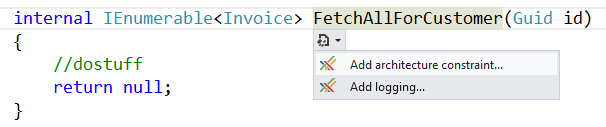
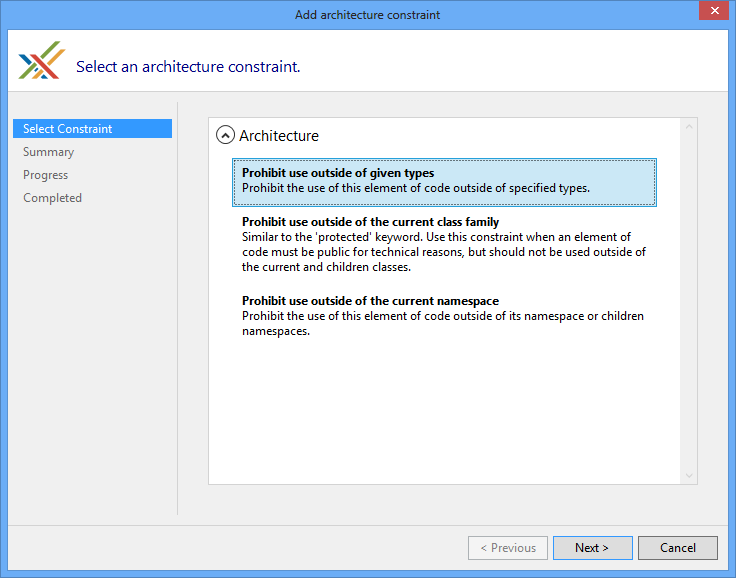
Select "Prohibit use outside of given types" from the list of options.
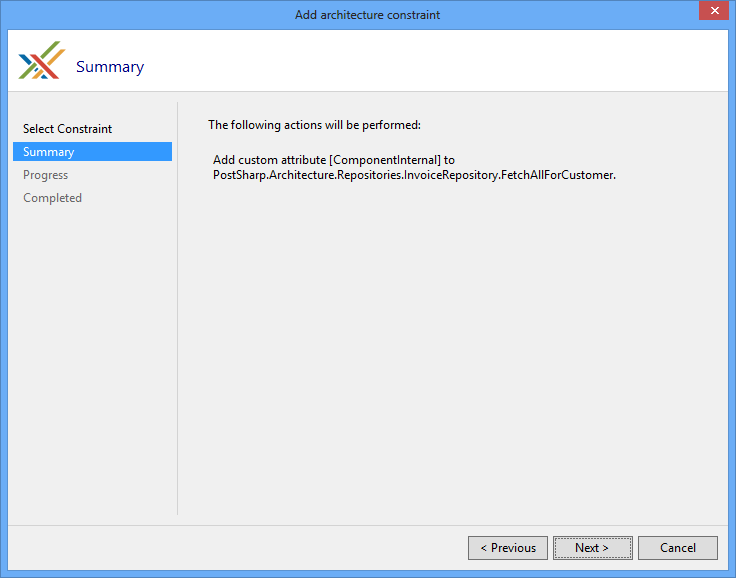
Verify that you will be adding the ComponentInternalAttribute attribute to the correct piece of code.
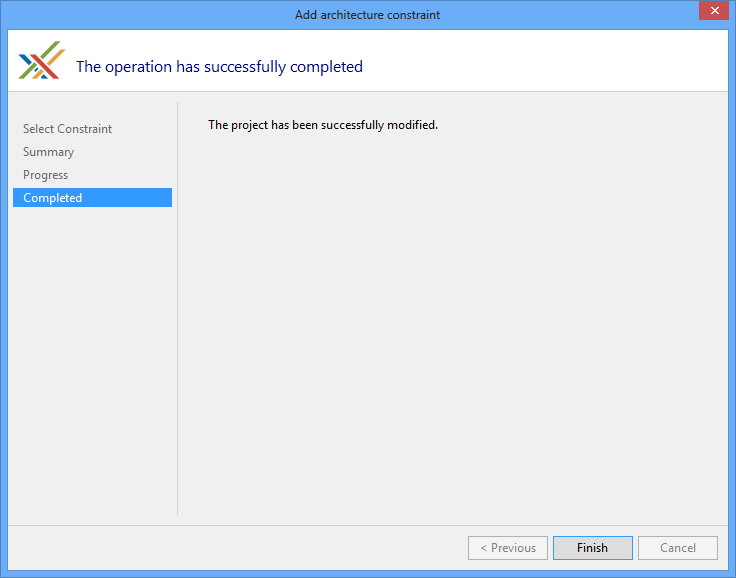
When the download, installation and configuration of PostSharp have finished, close the wizard and look at the changes that were made to your codebase.
Notice that the only change in the code is the addition of the [ComponentInternalAttribute] attribute.
Without arguments, the [ComponentInternalAttribute] attribute allows access only from the namespace of the declaring type and its child namespaces. To grant access to other code, pass arguments to the constructor. There are two options. The first is to pass an array of
typeof(...)values that represent the types that can access this method. The second is to pass an array of strings that contain the namespaces of the code that can access this method. A namespace also grants access to its child namespaces. For this example, pass a string for the validation namespace.namespace ComponentInternalNamespace.Repositories { public class InvoiceRepository { [ComponentInternal( "ComponentInternalNamespace.Validation" )] internal IEnumerable<Invoice> FetchAllForCustomer( Guid id ) { return [new Invoice( id, new DateTime( 2026, 1, 15 ), new DateTime( 2026, 1, 20 ), 100, false )]; } } }If you try to access this component from a namespace that has not been granted access, you will see a build-time warning in the Output window.
namespace ComponentInternalNamespace.Services
{
    using ComponentInternalNamespace.Repositories;

    public class InvoiceServices
    {
        public IEnumerable<InvoiceForList> FetchAllInvoicesForCustomer( Guid id )
        {
            var invoiceRepository = new InvoiceRepository();

            // Warning: this namespace is not allowed to call this method.
            var allInvoices = invoiceRepository.FetchAllForCustomer( id );

            return allInvoices.Where( x => !x.PaidInFull )
                .Select(
                    x => new InvoiceForList
                    {
                        PurchaseDate = x.PurchaseDate,
                        ShipDate = x.ShipDate,
                        TotalAmount = x.Total
                    } );
        }
    }
}
The build reports the following warning:
warning AR0102: ComponentInternalNamespace.cs(43,44): Method ComponentInternalNamespace.Repositories.InvoiceRepository.FetchAllForCustomer(System.Guid) cannot be referenced from method ComponentInternalNamespace.Services.InvoiceServices.FetchAllInvoicesForCustomer(System.Guid) because of the [ComponentInternal] constraint.Note
If you try to access the component from a namespace that is in a different project, PostSharp must process that project for the validation to occur.
Restricting access to specific types
Namespace-level restrictions may not be tight enough for your needs. In that case, you can apply this constraint at the type level.
To restrict access at the component type level, explicitly define which component types have access. To do this, pass types to the constructor of the ComponentInternalAttribute attribute. The constructor accepts an array of
Type, so you can grant access to many different component types.public class InvoiceRepository { [ComponentInternal( typeof(InvoiceServices) )] internal IEnumerable<Invoice> FetchAllForCustomer( Guid id ) { return [new Invoice( id, 100 )]; } }If you try to access this component from a type that has not been granted access, you will see a build-time warning in the Output window.
public class CustomerServices
{
    public int CountInvoices( Guid id )
    {
        var invoiceRepository = new InvoiceRepository();

        // Warning: CustomerServices is not allowed to call this method.
        return invoiceRepository.FetchAllForCustomer( id ).Count();
    }
}
The build reports the following warning:
warning AR0102: ComponentInternalWarning.cs(27,16): Method InvoiceRepository.FetchAllForCustomer(System.Guid) cannot be referenced from method CustomerServices.CountInvoices(System.Guid) because of the [ComponentInternal] constraint.
Controlling component visibility outside of the containing assembly
Because of framework limitations or automated testing requirements, you sometimes need to declare components as public. You probably do not want external applications to access some of those components. For instance, WPF controls need a default constructor for use in the designer, but sometimes you want another constructor to be used at run time, so you want to prevent code from using the default constructor.
PostSharp lets you decorate a publicly declared component so that applications that reference its assembly cannot access it. To do this, apply the InternalAttribute attribute.
As with the internal keyword, an assembly that the declaring assembly lists in an InternalsVisibleToAttribute attribute can still use the component without a warning.
Mark the
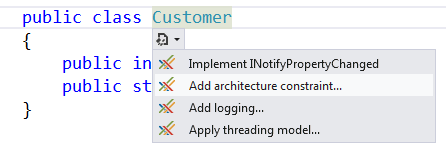
Customerclass so that it can be accessed only from the assembly where it resides.Place the caret on the publicly declared component that you want to restrict external access to, and expand the smart tag. Select "Add architectural constraint". This procedure requires Visual Studio Tools for Metalama and PostSharp. You can also achieve the same result by editing the code and the project manually.
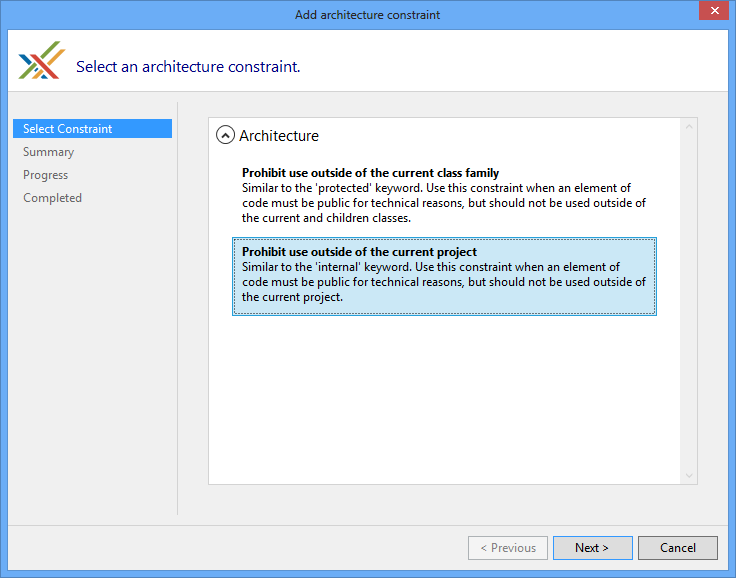
When prompted to select a constraint, choose to "Prohibit use outside of the project".
On the summary page, review your selections. If the configuration is not what you wanted, click Previous and adjust your selections. If the configuration meets your needs, click Next. In this example, the [InternalAttribute] attribute is added to the
Customerclass.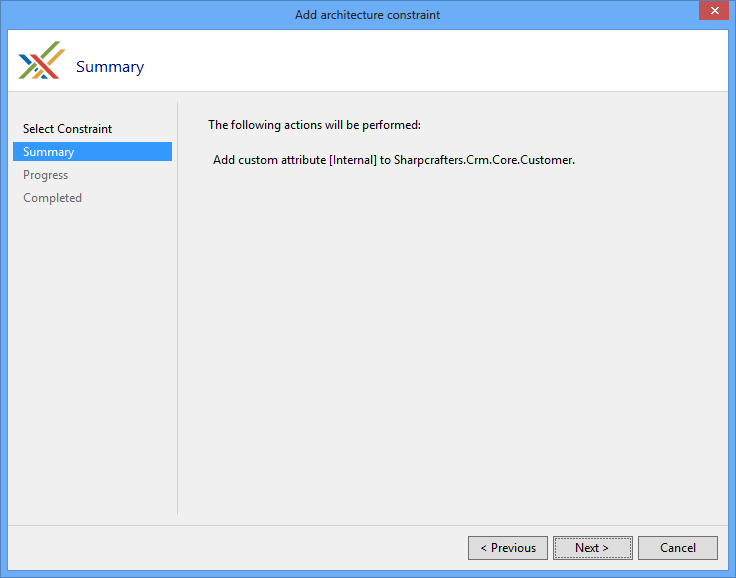
When the download, installation and configuration of PostSharp have finished, close the wizard and look at the changes that were made to your codebase.
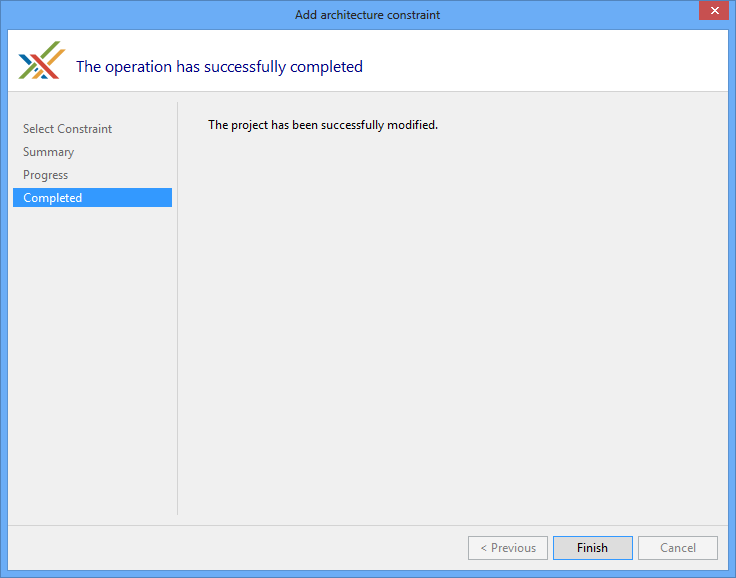
Notice that the only change in the code is the addition of the [InternalAttribute] attribute.
namespace Sharpcrafters.Crm.Core
{
    [Internal]
    public class Customer
    {
        public int Id { get; set; }

        public string? Name { get; set; }
    }
}
When you use that public component in a different assembly, the build-time warning AR0105 appears in the Output window. Applying a custom attribute that has this restriction in a different assembly also emits AR0105. In the following code,
CustomerRepositoryis in a different assembly thanCustomer.public interface ICustomerRepository { IEnumerable<Customer> FetchAll(); } public class CustomerRepository : ICustomerRepository { public IEnumerable<Customer> FetchAll() { return new List<Customer> { new Customer { Id = 1, Name = "Joe Johnson" } }; } }The build reports the following warnings:
warning AR0105: InternalCustomer.cs(11,27): Cannot use Type Sharpcrafters.Crm.Core.Customer in return value of method InternalCustomer.ICustomerRepository.FetchAll because the [Internal] constraint restricts it to its own assembly and to the assemblies that this assembly grants access to with [InternalsVisibleTo].
warning AR0105: InternalCustomer.cs(16,34): Cannot use Constructor Sharpcrafters.Crm.Core.Customer.#ctor in method InternalCustomer.CustomerRepository.FetchAll because the [Internal] constraint restricts it to its own assembly and to the assemblies that this assembly grants access to with [InternalsVisibleTo].
warning AR0105: InternalCustomer.cs(16,34): Cannot use Method Sharpcrafters.Crm.Core.Customer.set_Id(System.Int32) in method InternalCustomer.CustomerRepository.FetchAll because the [Internal] constraint restricts it to its own assembly and to the assemblies that this assembly grants access to with [InternalsVisibleTo].
warning AR0105: InternalCustomer.cs(16,34): Cannot use Method Sharpcrafters.Crm.Core.Customer.set_Name(System.String) in method InternalCustomer.CustomerRepository.FetchAll because the [Internal] constraint restricts it to its own assembly and to the assemblies that this assembly grants access to with [InternalsVisibleTo].
warning AR0105: InternalCustomer.cs(16,34): Cannot use Type Sharpcrafters.Crm.Core.Customer in return value of method InternalCustomer.CustomerRepository.FetchAll because the [Internal] constraint restricts it to its own assembly and to the assemblies that this assembly grants access to with [InternalsVisibleTo].
Note
PostSharp must process the project that uses the public component for this validation to occur.
Emitting errors instead of warnings
By default, any code that breaks the access rules defined by the ComponentInternalAttribute or InternalAttribute attribute generates a build-time warning. You can escalate this warning to an error.
To change the warning to an error, set the Severity property.
public class InvoiceRepository
{
    [ComponentInternal( typeof(InvoiceServices), Severity = SeverityType.Error )]
    internal IEnumerable<Invoice> FetchAllForCustomer( Guid id )
    {
        return [new Invoice( id, 100 )];
    }
}
When you try to access the component without being granted access, the build fails with an error:
error AR0102: ComponentInternalError.cs(28,16): Method InvoiceRepository.FetchAllForCustomer(System.Guid) cannot be referenced from method CustomerServices.CountInvoices(System.Guid) because of the [ComponentInternal] constraint.
Ignoring warnings
In some situations, you may want to suppress the warning that is generated at build time. In those cases, apply the SuppressWarningAttribute attribute to the locations where you want to allow access to the component.
Note
The SuppressWarningAttribute attribute suppresses only warnings. If you have escalated the warnings to errors, those errors are still generated even if the SuppressWarningAttribute attribute is present.
To allow access to the constrained component in a specific method, add the SuppressWarningAttribute attribute to that method.
public class CustomerServices
{
    [SuppressWarning( "AR0102" )]
    public int CountInvoices( Guid id )
    {
        var invoiceRepository = new InvoiceRepository();

        return invoiceRepository.FetchAllForCustomer( id ).Count();
    }
}
Note
AR0102 is the identifier of the warning emitted by ComponentInternalAttribute. To ignore warnings emitted by InternalAttribute, use the identifier AR0105.
SuppressWarningAttribute works with any PostSharp warning, not only this one. Any build warning or error, whether from MSBuild, C# or PostSharp, has an identifier. To see identifiers in Visual Studio, open the View menu, click Output, and select Show output from: Build. The warnings are displayed with their identifiers.
To allow access in an entire class, add the SuppressWarningAttribute attribute at the class level. The warning is then suppressed for any access to the constrained component within the class.
[SuppressWarning( "AR0102" )]
public class InvoiceReports
{
    public decimal GetLargestInvoice( Guid id )
    {
        var invoiceRepository = new InvoiceRepository();

        return invoiceRepository.FetchAllForCustomer( id ).Max( i => i.Total );
    }
}
See Also
Reference
SuppressWarningAttribute
ComponentInternalAttribute
InternalAttribute
Other Resources