
You may want to prevent users of an API from implementing an interface. They can consume the interface but not implement it in their own classes, so that you can later add new members to this interface without breaking the code of the users. If the interface must remain public, the programming language has no option to enforce this restriction. The InternalImplementAttribute attribute of PostSharp provides this restriction.
Adding the constraint to the interface
To restrict the implementation of a publicly declared interface, add [InternalImplementAttribute] to that interface.
Note
This procedure requires Visual Studio Tools for Metalama and PostSharp to be installed on your machine. You can, however, achieve the same results by editing the code and the project manually.
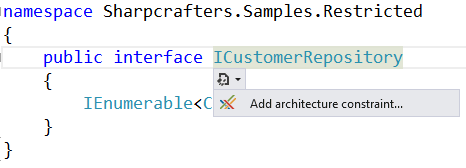
Place the caret on the interface to which you want to add the attribute, and select "Add architectural constraint...".
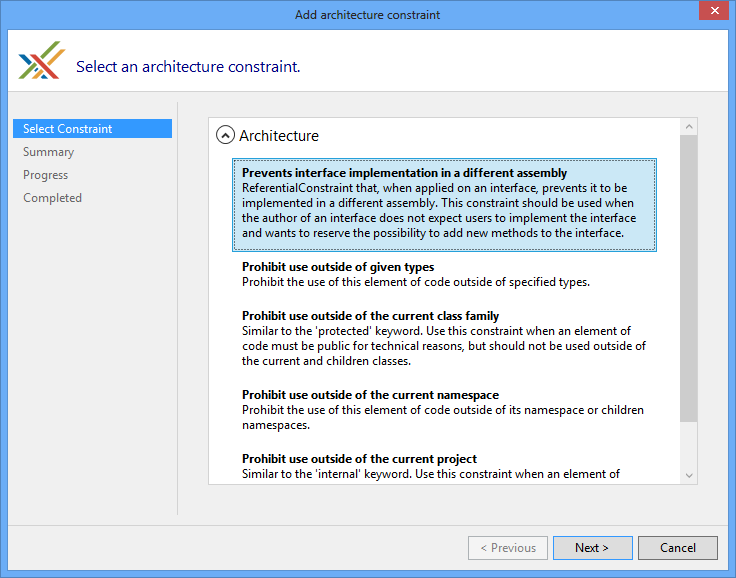
Select "Prevent interface implementation in a different assembly" and select Next.
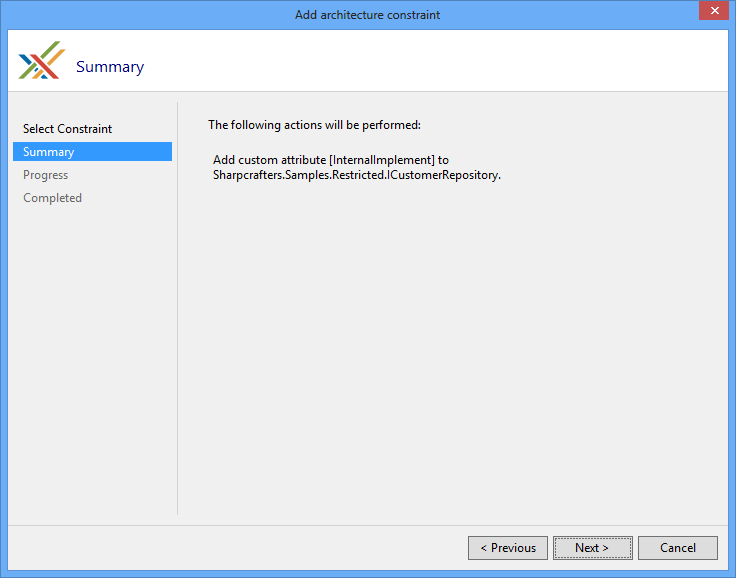
Verify that you will be adding the InternalImplementAttribute attribute to the correct piece of code.
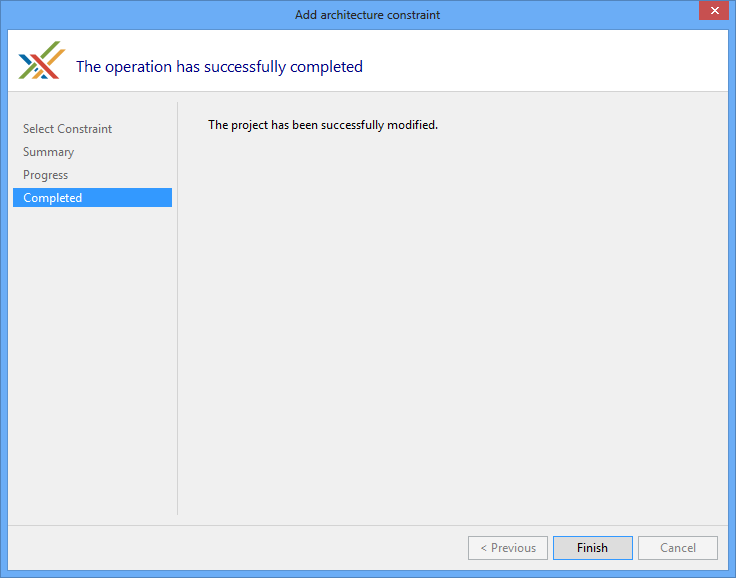
When the download, installation and configuration of PostSharp have finished, close the wizard and look at the changes that were made to your codebase.
Notice that the only change in the code is the addition of the [InternalImplementAttribute] attribute.
[InternalImplement]
public interface ICustomerRepository
{
    IEnumerable<Customer> FetchAll();
}
After that, implementing the interface that is decorated with InternalImplementAttribute from another assembly creates the build-time warning AR0101, unless the assembly of the interface grants access to that assembly with InternalsVisibleToAttribute. In the following code, CustomerRepository is in a different assembly than ICustomerRepository:
// Warning: ICustomerRepository cannot be implemented in another assembly.
public class CustomerRepository : ICustomerRepository
{
    public IEnumerable<Customer> FetchAll()
    {
        return [new Customer { Id = 1, Name = "Joe Johnson" }];
    }
}
The build reports the following warning:
warning AR0101: InternalImplement.cs(11,14): Interface Sharpcrafters.Crm.Core.ICustomerRepository cannot be implemented by InternalImplement.CustomerRepository because of the [InternalImplement] constraint.
Note
For this architectural validation to occur, PostSharp must process the project that implements the interface.
Emitting an error instead of a warning
If a warning is not strict enough, you can change the output to a build-time error by setting the Severity property of InternalImplementAttribute to Error.
[InternalImplement( Severity = SeverityType.Error )]
public interface ICustomerRepository
{
    IEnumerable<Customer> FetchAll();
}
Now any implementation of the decorated interface in another assembly generates an error and fails the build of your project:
error AR0101: InternalImplementError.cs(9,14): Interface Sharpcrafters.Crm.Core.ICustomerRepository cannot be implemented by InternalImplementError.CustomerRepository because of the [InternalImplement] constraint.
Ignoring warnings
If you implement a constrained interface in a separate assembly and you want to suppress the warning that is generated, apply the SuppressWarningAttribute attribute.
Note
The SuppressWarningAttribute attribute suppresses only warnings. If you have escalated the warnings to errors, those errors are still generated even if the SuppressWarningAttribute attribute is present.
To suppress the warning, add the SuppressWarningAttribute attribute to the offending code. In this example, add the attribute to the class that implements the constrained interface. The warning for that specific implementation is then suppressed. All other locations that implement this interface still generate their warnings.
Note
You may wonder where the identifier AR0101 comes from. SuppressWarningAttribute works with any PostSharp warning, not only this one. Any build warning or error, whether from MSBuild, C# or PostSharp, has an identifier. To see identifiers in Visual Studio, open the View menu, click Output, and select Show output from: Build. The warnings are displayed with their identifiers.
[SuppressWarning( "AR0101" )]
public class PreferredCustomerRepository : ICustomerRepository
{
    public IEnumerable<Customer> FetchAll()
    {
        return [];
    }
}
In this example, the build reports the warning for CustomerRepository but not for PreferredCustomerRepository.
See Also
Reference
InternalImplementAttribute
SuppressWarningAttribute
Other Resources
Controlling Component Visibility Beyond Private and Internal